Microsoft Agent Framework: The Successor to Semantic Kernel and AutoGen
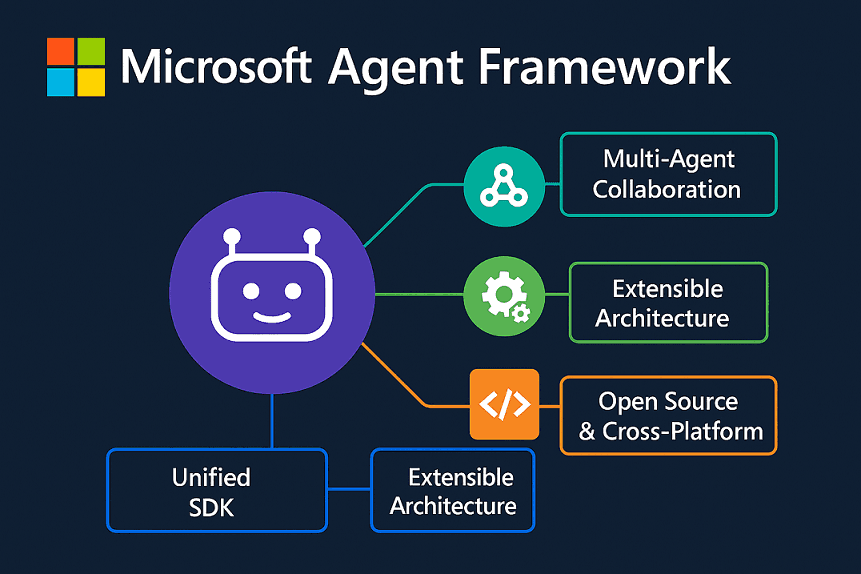
I've written about both Semantic Kernel and AutoGen on this blog before, and the split was always a bit awkward. Semantic Kernel was the .NET-first, enterprise-leaning option with kernels, plugins, filters and telemetry. AutoGen was the Python-friendly playground for multi-agent conversations. Two teams at Microsoft, two SDKs, two mental models for what was basically the same job.
That split is done. The two teams have shipped one framework, the Microsoft Agent Framework (MAF), and they're calling it the direct successor to both. From the overview docs:
Agent Framework combines AutoGen's simple agent abstractions with Semantic Kernel's enterprise features (session-based state management, type safety, middleware, telemetry) and adds graph-based workflows for explicit multi-agent orchestration.
So: .NET and Python with the same API shape, a hosting story tied to Microsoft Foundry, model clients for most of the names you'd expect (Azure OpenAI, OpenAI, Anthropic, Ollama, GitHub Copilot, Google Gemini, ONNX, a few more), and a graph-based workflow engine that neither parent framework really had.
What follows is a tour of what MAF feels like once you start typing. Agents and workflows, the building blocks underneath them, the orchestration patterns, and the hosting story. Code in both Python and C#, because the framework treats them as peers and so should the post.
The mental model
Everything in MAF is either an agent or a workflow.
| Primitive | What it is |
|---|---|
| Agent | A single LLM-driven loop that can call tools and MCP servers. Use it when the task is open-ended or conversational. |
| Workflow | A graph of executors (agents, functions, or custom nodes) connected by edges, with type-safe routing, checkpointing, and human-in-the-loop support. Use it when the process has well-defined steps. |
The docs are also honest about when you should use neither:
If you can write a function to handle the task, do that instead of using an AI agent.
Which I appreciate. Half the agent posts I read in 2025 were people building agents for jobs a case statement could have done.
Underneath both pillars, the same five names keep coming up: ChatClient (the model abstraction), AgentSession (state), ContextProvider (memory and dynamic instructions), middleware (interception), and MCP clients (tool integration). Learn those and most of the framework stops being surprising.
Installing
Python:
pip install agent-framework
.NET:
dotnet add package Microsoft.Agents.AI
dotnet add package Microsoft.Agents.AI.Foundry
dotnet add package Azure.AI.Projects
dotnet add package Azure.Identity
The Python install is one meta-package that pulls in subpackages for each provider. On .NET you pick the integration packages you need.
Hello agent
Smallest possible agent in C#, against Azure OpenAI:
using Azure.AI.OpenAI;
using Azure.Identity;
using Microsoft.Agents.AI;

var endpoint = Environment.GetEnvironmentVariable("AZURE_OPENAI_ENDPOINT")
    ?? throw new InvalidOperationException("AZURE_OPENAI_ENDPOINT is not set.");
var deploymentName = Environment.GetEnvironmentVariable("AZURE_OPENAI_DEPLOYMENT_NAME") ?? "gpt-4o-mini";

AIAgent agent = new AzureOpenAIClient(new Uri(endpoint), new DefaultAzureCredential())
    .GetChatClient(deploymentName)
    .AsAIAgent(
        instructions: "You are good at telling jokes.",
        name: "Joker");

Console.WriteLine(await agent.RunAsync("Tell me a joke about a pirate."));

await foreach (var update in agent.RunStreamingAsync("Tell me a joke about a pirate."))
{
    Console.WriteLine(update);
}
Pick a client, call .AsAIAgent(...), get an AIAgent. Run it or stream it.
The Python version of the same shape, this time against a Foundry project:
import asyncio
from agent_framework import Agent
from agent_framework.foundry import FoundryChatClient
from azure.identity import AzureCliCredential


async def main() -> None:
    client = FoundryChatClient(
        project_endpoint="https://your-project.services.ai.azure.com",
        model="gpt-4o",
        credential=AzureCliCredential(),
    )

    agent = Agent(
        client=client,
        name="HelloAgent",
        instructions="You are a friendly assistant. Keep your answers brief.",
    )

    result = await agent.run("What is the capital of France?")
    print(f"Agent: {result}")

    print("Agent (streaming): ", end="", flush=True)
    async for chunk in agent.run("Tell me a one-sentence fun fact.", stream=True):
        if chunk.text:
            print(chunk.text, end="", flush=True)
    print()


if __name__ == "__main__":
    asyncio.run(main())
A couple of things you might miss on first read. stream=True is a flag on the same run call, not a separate API. And auth goes through azure-identity, so there's no API key sitting in the sample. Small choices, but the kind of small choice that tells you whether the people who built it have ever had to clean up after a hardcoded key getting committed.
Tools
Tools are how the agent does anything beyond producing tokens. In Python you decorate a function with @tool. In .NET you wrap a method with AIFunctionFactory.Create.
Python:
from random import randint
from typing import Annotated
from agent_framework import Agent, tool
from agent_framework.foundry import FoundryChatClient
from azure.identity import AzureCliCredential
from pydantic import Field


# NOTE: approval_mode="never_require" is fine for samples.
# Use "always_require" in production for human-in-the-loop confirmation.
@tool(approval_mode="never_require")
def get_weather(
    location: Annotated[str, Field(description="The location to get the weather for.")],
) -> str:
    """Get the weather for a given location."""
    conditions = ["sunny", "cloudy", "rainy", "stormy"]
    return f"The weather in {location} is {conditions[randint(0, 3)]} with a high of {randint(10, 30)}°C."


agent = Agent(
    client=FoundryChatClient(credential=AzureCliCredential()),
    name="WeatherAgent",
    instructions="You are a helpful weather agent. Use the get_weather tool to answer questions.",
    tools=[get_weather],
)
.NET:
using System.ComponentModel;
using Azure.AI.OpenAI;
using Azure.Identity;
using Microsoft.Agents.AI;
using Microsoft.Extensions.AI;
[Description("Get the weather for a given location.")]
static string GetWeather([Description("The location to get the weather for.")] string location)
=> quot;The weather in {location} is cloudy with a high of 15°C.";
AIAgent agent = new AzureOpenAIClient(new Uri(endpoint), new DefaultAzureCredential())
.GetChatClient(deploymentName)
.AsAIAgent(
instructions: "You are a helpful assistant",
tools: [AIFunctionFactory.Create(GetWeather)]);
Console.WriteLine(await agent.RunAsync("What is the weather like in Amsterdam?"));
The approval_mode argument is one I wish more frameworks shipped with. It lets the framework pause a run, surface the tool call to a human, and resume once someone clicks approve. Not a bolt-on, just a flag.
Tools can also come from MCP servers. MAF ships an MCP client, so you can pull in remote tool catalogues without wrapping anything yourself. That matters more in 2026 than it would have a year ago, because the useful tool surfaces (databases, internal APIs, SaaS connectors) are showing up as MCP servers now instead of per-framework adapters.
Sessions: state that carries across turns
A single run call is stateless. To keep conversation history around, create an AgentSession:
AgentSession session = await agent.CreateSessionAsync();
Console.WriteLine(await agent.RunAsync("Tell me a joke about a pirate.", session));
Console.WriteLine(await agent.RunAsync(
"Now add some emojis and tell it in the voice of a pirate's parrot.",
session));
Python is the same shape:
session = agent.create_session()
result = await agent.run("My name is Alice and I love hiking.", session=session)
print(f"Agent: {result}\n")
result = await agent.run("What do you remember about me?", session=session)
print(f"Agent: {result}")
The session holds messages, tool call history, and arbitrary state that providers can read and write. This is the piece SK had and AutoGen mostly punted on, and it's what makes MAF feel like an SDK you'd ship rather than a demo you'd show.
Context providers: memory you can actually reason about
If you've built agents the hard way, you know what "memory" usually means: injecting user preferences, retrieved knowledge, or dynamic instructions into every call without losing your mind. MAF formalises this with context providers. They're objects with before_run and after_run hooks that can read and mutate the prompt and the session state.
from agent_framework import Agent, AgentSession, ContextProvider, SessionContext
class UserMemoryProvider(ContextProvider):
"""A context provider that remembers user info in session state."""
DEFAULT_SOURCE_ID = "user_memory"
def __init__(self):
super().__init__(self.DEFAULT_SOURCE_ID)
async def before_run(self, *, agent, session, context: SessionContext, state):
user_name = state.get("user_name")
if user_name:
context.extend_instructions(
self.source_id,
f"The user's name is {user_name}. Always address them by name.",
)
else:
context.extend_instructions(
self.source_id,
"You don't know the user's name yet. Ask for it politely.",
)
async def after_run(self, *, agent, session, context: SessionContext, state):
for msg in context.input_messages:
text = msg.text if hasattr(msg, "text") else ""
if isinstance(text, str) and "my name is" in text.lower():
state["user_name"] = text.lower().split("my name is")[-1].strip().split()[0].capitalize()
Attach it to the agent and it runs on every call:
agent = Agent(
client=client,
name="MemoryAgent",
instructions="You are a friendly assistant.",
context_providers=[UserMemoryProvider()],
)
I like this design. Anything you'd otherwise stitch in by hand (RAG retrieval, a user-preferences cache, a safety filter) is a context provider. They compose cleanly because each one only writes to its own source_id slice of state, so two providers can't quietly stomp on each other's keys.
Workflows: graphs of executors
This is the part of MAF I was most curious about. AutoGen had conversations between agents. SK had plan-and-execute. Neither could really say "run this graph deterministically, with checkpoints, with a human approval node sitting on this edge." Workflows are the answer to that gap.
A workflow is built from executors (anything that processes an input and produces an output) connected by edges. Simplest possible workflow in C#:
using Microsoft.Agents.AI.Workflows;
Func<string, string> uppercaseFunc = s => s.ToUpperInvariant();
var uppercase = uppercaseFunc.BindAsExecutor("UppercaseExecutor");
var reverse = new ReverseTextExecutor();
WorkflowBuilder builder = new(uppercase);
builder.AddEdge(uppercase, reverse).WithOutputFrom(reverse);
var workflow = builder.Build();
await using Run run = await InProcessExecution.RunAsync(workflow, "Hello, World!");
foreach (WorkflowEvent evt in run.NewEvents)
{
if (evt is ExecutorCompletedEvent executorComplete)
{
Console.WriteLine(quot;{executorComplete.ExecutorId}: {executorComplete.Data}");
}
}
internal sealed class ReverseTextExecutor() : Executor<string, string>("ReverseTextExecutor")
{
public override ValueTask<string> HandleAsync(string message, IWorkflowContext context, CancellationToken cancellationToken = default)
=> ValueTask.FromResult(string.Concat(message.Reverse()));
}
In Python it's Executor classes or @executor-decorated functions, wired with a WorkflowBuilder:
from agent_framework import Executor, WorkflowBuilder, WorkflowContext, executor, handler
from typing_extensions import Never
class UpperCase(Executor):
def __init__(self, id: str):
super().__init__(id=id)
@handler
async def to_upper_case(self, text: str, ctx: WorkflowContext[str]) -> None:
await ctx.send_message(text.upper())
@executor(id="reverse_text")
async def reverse_text(text: str, ctx: WorkflowContext[Never, str]) -> None:
await ctx.yield_output(text[::-1])
upper = UpperCase(id="upper_case")
workflow = WorkflowBuilder(start_executor=upper).add_edge(upper, reverse_text).build()
events = await workflow.run("hello world")
print(events.get_outputs()) # ['DLROW OLLEH']
The graph API gives you fan-out, fan-in, switch/case, loops, and superstep-based checkpointing. The framework can persist workflow state at each superstep boundary, so a crash mid-workflow doesn't lose anything: restart the process and it picks up where it stopped. That's the durability story SK never quite finished.
For lower-ceremony cases there's a functional workflow API where the whole thing is one async function and the framework infers the graph:
from agent_framework import Agent, workflow
writer = Agent(name="WriterAgent", instructions="Write a short poem (4 lines max) about the given topic.", client=client)
reviewer = Agent(name="ReviewerAgent", instructions="Review the given poem in one sentence. Is it good?", client=client)
@workflow
async def poem_workflow(topic: str) -> str:
poem = (await writer.run(f"Write a poem about: {topic}")).text
review = (await reviewer.run(f"Review this poem: {poem}")).text
return f"Poem:\n{poem}\n\nReview: {review}"
result = await poem_workflow.run("a cat learning to code")
Agents inside workflows are just function calls. No special wrappers, no message bus to learn. The workflow engine still sees the structure because each await boundary becomes an executor.
Orchestration patterns
On top of the workflow graph, MAF ships pre-built orchestration builders for the patterns you actually want.
Builder
Topology
Use when
SequentialBuilderA then B then C
A pipeline of agents that each see the conversation so far.
ConcurrentBuilderFan-out, fan-in
Several agents work on the same input in parallel; an aggregator combines the results.
HandoffBuilderMesh
One agent decides which other agent should take over. The framework auto-registers handoff tools, so the LLM literally calls transfer_to_refund_agent(...).
GroupChatBuilderManager plus participants
Round-table conversation with a selector that picks who speaks next.
MagenticBuilderManager-led plan and execute
The Magentic pattern from the AutoGen research: a planning manager that drives a team of specialist agents to solve a harder task.
Sequential workflow in five lines:
from agent_framework.orchestrations import SequentialBuilder
workflow = SequentialBuilder(participants=[writer, reviewer], output_from="all").build()
result = await workflow.run("Write a tagline for a budget-friendly eBike.")
A handoff workflow looks like a triage agent with three specialists wired into a mesh. The triage agent doesn't call the specialists directly. It calls a handoff tool that the framework auto-generated, and the workflow engine routes the conversation to the chosen specialist while preserving the history:
from agent_framework.orchestrations import HandoffBuilder
triage, refund, order, returns = create_agents(client)
workflow = HandoffBuilder(
coordinator=triage,
participants=[refund, order, returns],
).build()
Magentic is the one I keep coming back to. You hand it a couple of specialist agents (a researcher and a coder in the sample) and a question like "estimate the energy efficiency of these ML models". A manager LLM plans the work, decides who runs each step, and reconciles the outputs. It's the AutoGen Magentic pattern, but now there's checkpointing and an event stream around it, so you can actually see what happened when a run goes sideways at 2am.
Providers
MAF doesn't pick a model vendor for you. The current set, straight from the samples directory:
- Microsoft Foundry, the new home for Azure-hosted agents
- Azure OpenAI, both chat completions and responses APIs
- OpenAI direct
- Anthropic
- Ollama for local models
- GitHub Copilot SDK
- Amazon Bedrock
- Google Gemini
- ONNX for on-device inference
- Copilot Studio
- Custom, for when you want to bring your own client
Switching providers is a constructor change. The AIAgent / Agent surface above doesn't move. That's the part I've been waiting on since SK and AutoGen split the world in two.
Middleware
Cross-cutting concerns (logging, retry, redaction, guardrails) are middleware. The pattern is the next delegate you'd expect from ASP.NET or Express. The samples include an auto_retry example that wraps an agent in exponential backoff without the agent code knowing anything about it. Middleware composes, and it works around a single agent or around a whole workflow node.
Hosting
A few of the hosting targets that ship out of the box:
- Foundry-hosted agents. Deploy an agent to Microsoft Foundry infrastructure with two extra lines of code. The agent runs on a managed runtime, you keep the same SDK shape.
- Azure Functions. Agents as serverless endpoints.
- Durable Task, Durable Agents, Durable Workflows. Long-running, checkpointed workflows on top of the Durable Task framework. Process crashes and machine reboots don't kill the run.
- A2A. Expose any MAF agent over the A2A protocol so other agents (built on anything) can talk to it. I've written about A2A v1.0 separately; the fact that MAF speaks it natively is a real signal that Microsoft expects you to interop, not silo.
- Container. Plain Docker for everywhere else.
Observability
OpenTelemetry is built in. Spans for agent runs, tool calls, workflow executors, and model client calls all land in whatever tracing pipeline you already have. I've spent more hours than I want to admit retrofitting traces into SK and AutoGen, so this one matters more to me than it probably should.
Declarative agents and skills
Two smaller pieces worth a mention.
Declarative agents let you define an agent in YAML instead of code. Instructions, model, tools, context providers, all in a versionable file. Useful when product or compliance owns the prompt and devs own the runtime.
Agent skills let you build domain-specific knowledge bases (from files, inline code, or class libraries) that agents can discover and use at runtime. It's a structured replacement for the "stuff everything into the system prompt" pattern: only the relevant skill gets pulled in for a given query.
There's also a DevUI for poking at agent state and workflows during development, and an AF Labs subdirectory for experimental work like agent benchmarking and RL.
Where this leaves Semantic Kernel and AutoGen
Both repos are still up. The migration guides on Microsoft Learn are detailed enough that I think the team genuinely wants people to move, not just gesture at it. Kernels become chat clients, plugins become tools, AutoGen team chats become orchestration builders. None of that translation is particularly hard.
What I actually care about, more than the consolidation, is what it lets you do once everything lives in one place. The same agent code goes from agent.RunAsync("hello") on a laptop to a Magentic team running for hours inside a Durable workflow on Foundry, with OpenTelemetry traces and an MCP tool catalogue feeding everyone. SK couldn't really do the multi-agent half. AutoGen couldn't really do the production half. MAF is the first time I've looked at Microsoft's agent story and not had to mentally split it into two.
I'm going to build something real on it over the next month and write that up separately. There'll be sharp edges (there always are), but the shape of the thing looks right.
Links
- Overview: learn.microsoft.com/en-us/agent-framework/overview
- Repo: github.com/microsoft/agent-framework
- Python samples: python/samples
- .NET samples: dotnet/samples